A configurable BOM is the heart of what makes VC different from standard SAP BOMs. Instead of one fixed BOM, you define a super BOM containing all possible components. Selection conditions determine which components are included for a specific configuration.
Source: CS02 transaction — BOM creation and maintenance
How Configurable BOMs Work
A configurable BOM is created for the configurable material (type KMAT). It contains all possible components, each with a selection condition. When the user configures the product, the system evaluates each selection condition and includes only the components that match.
The standard BOM approach grows exponentially with options. The configurable BOM approach stays linear.
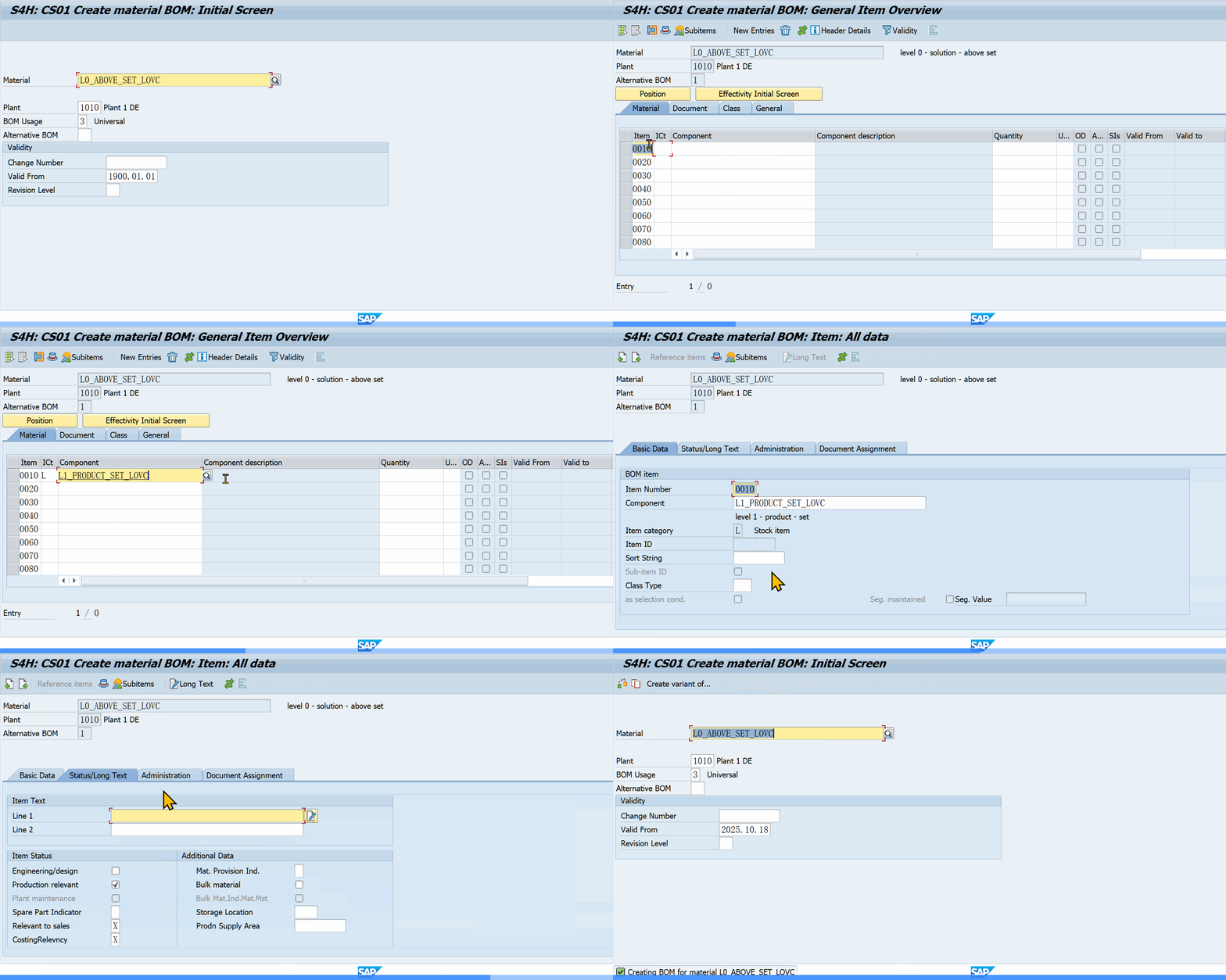 SAP transaction CS01: creating a configurable BOM with class items (item category K)
Selection Conditions (CU02)
A selection condition is an object dependency (type CU02) assigned to a BOM item. It defines when that component is included in the production order.
Syntax:
$parent.<CHARACTERISTIC> = '<VALUE>'
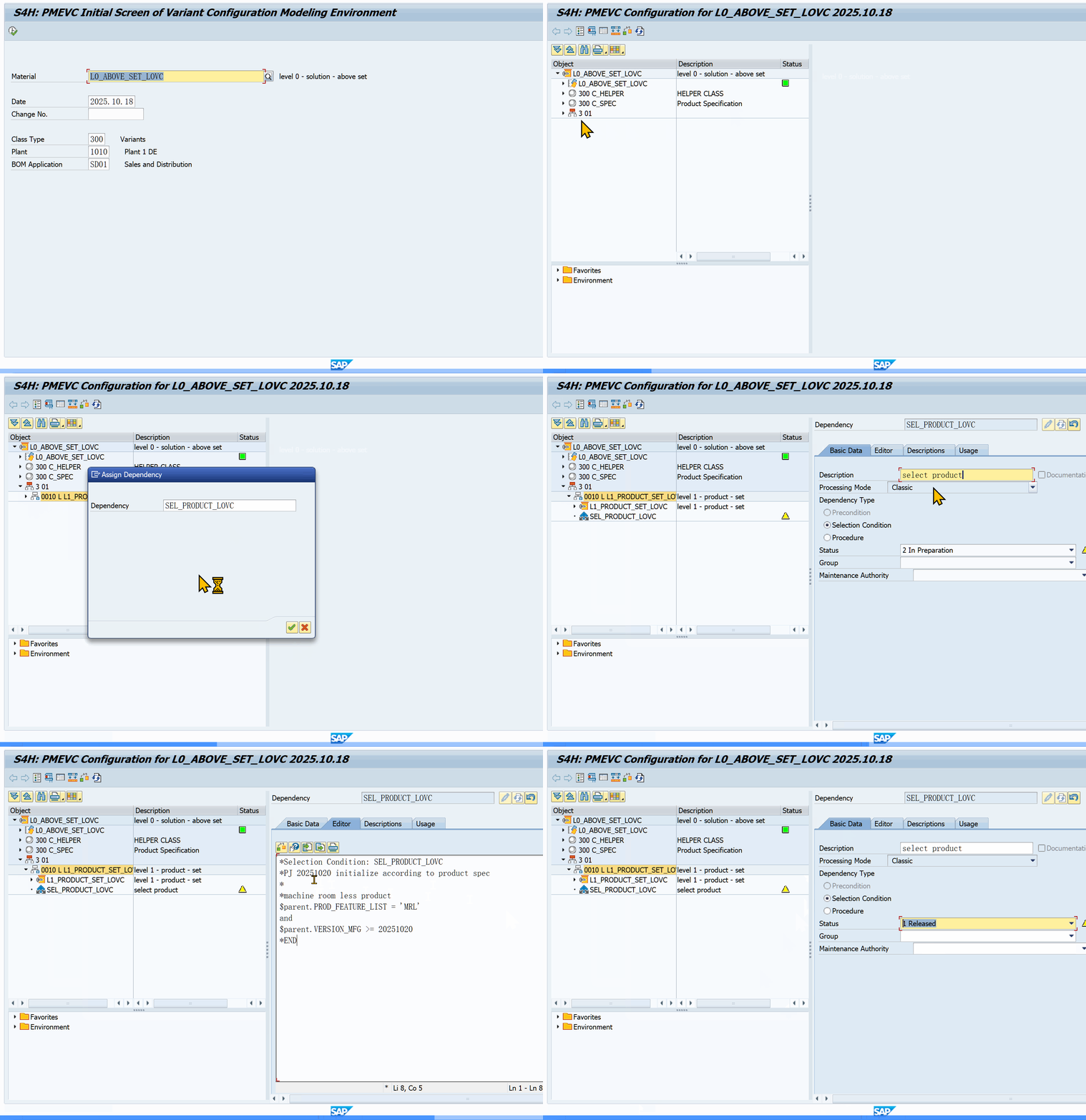 PMEVC Fiori: defining a selection condition on a BOM item
Example: Include a specific brake component only when the elevator capacity is over 1000kg:
$parent.CAPACITY_KG >= 1000
Multiple conditions:
$parent.MODEL = 'Premium' AND $parent.COLOR = 'Red'
BOM Item Configuration Parameters (ICPs)
BOM items can have additional control fields beyond the selection condition:
- Quantity: can be set by a procedure (not fixed)
- Item text: can be dynamic
- Alternative group: controls mutual exclusivity
BOM Explosion Behavior
When the production order is created, the system explodes the configurable BOM using the saved configuration (IBIN data). Only items with satisfied selection conditions are included.
Key behaviors:
- Selection conditions are evaluated in the dependency processing sequence
- BOM explosion uses the configuration profile settings
- Saved configurations (VA01/VA02) store which BOM items were selected
Class/Generic Selection Conditions vs. Item-Level
Class-level: Assign the selection condition to the class, shared across all BOM items of that class. Good for standard logic.
Item-level: Assign directly to the BOM item. Gives individual control.
Trade-off:
- Class-level is easier to maintain (one change affects all items)
- Item-level gives finer control per item
Required Conditions
A selection condition also acts as a required condition. If a characteristic appears in a selection condition, it becomes mandatory for the user to enter. The system needs it to determine BOM inclusion.
Common Patterns
Mutual exclusivity with alternative groups:
- Group competing components in an alternative group
- Use selection conditions to pick which alternative is active
- Alternative groups enforce that exactly one component is selected
Percentage-based BOM selection:
$parent.MODEL_COLOR = $self.<CHAR>
Common Mistakes
- Selection conditions on wrong BOM level: conditions on the header material use $ROOT. Conditions on BOM items use $PARENT. Confusing these breaks BOM selection
- Forgetting to specify conditions: a BOM item with no selection condition is always included
- Complex conditions on high-volume items: every condition check adds processing time. Keep selection conditions simple
- Not refreshing after BOM change: after changing selection conditions, use CU61 to refresh the configurable BOM
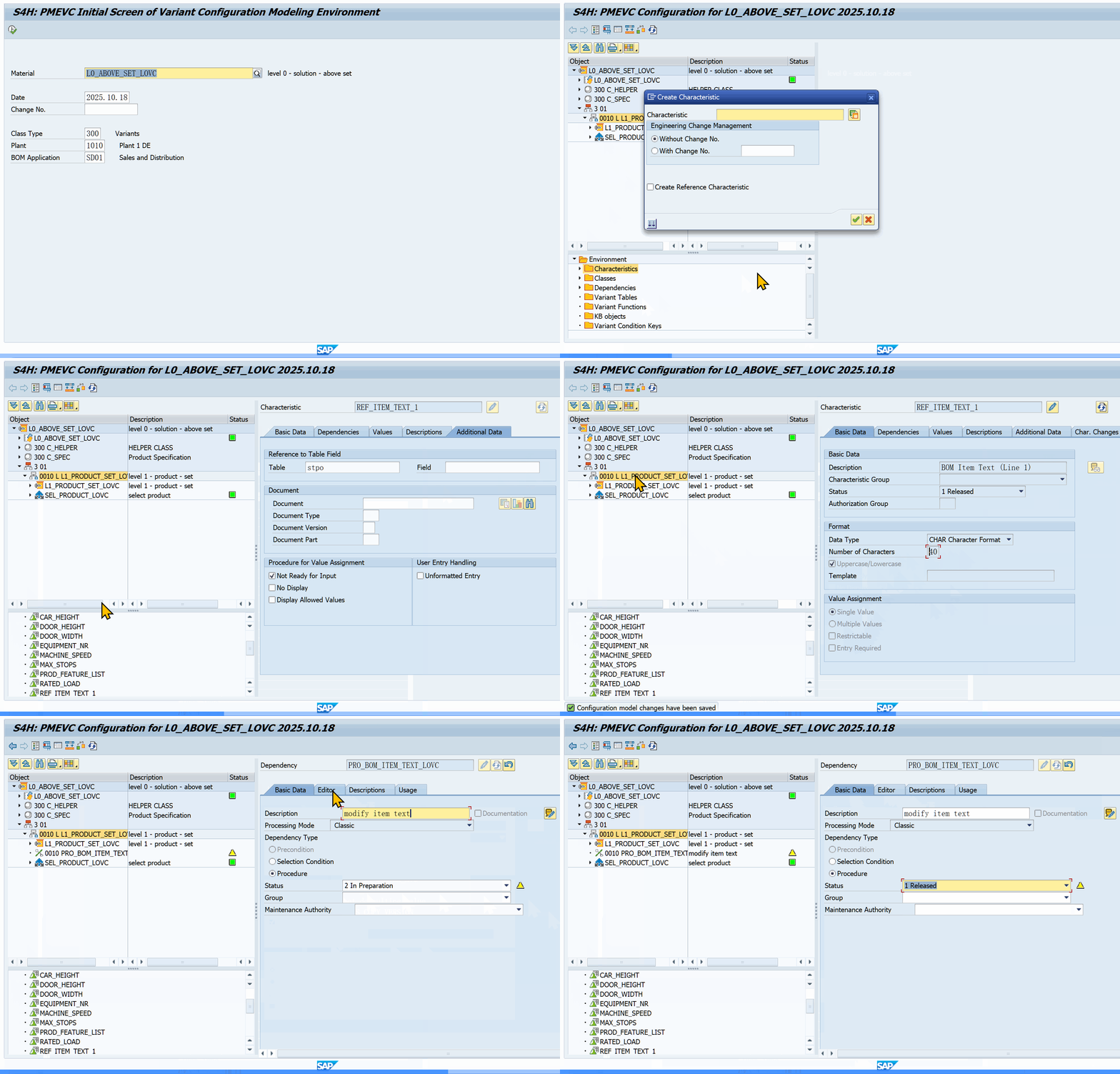 PMEVC: BOM item referencing its assigned object dependency
Sources: CS02 transaction (BOM maintenance) | CU01–CU03 (dependency definition)
Comments & Danmaku
Leave a comment — it flies across the page as danmaku!